Shipping & COD
Ship cash-on-delivery, account for every đồng
Create a Viettel Post shipment straight from the invoice, print the label and let tracking update itself. When the carrier sends its statement, SellDance checks every line, flags the differences and posts it in one click.
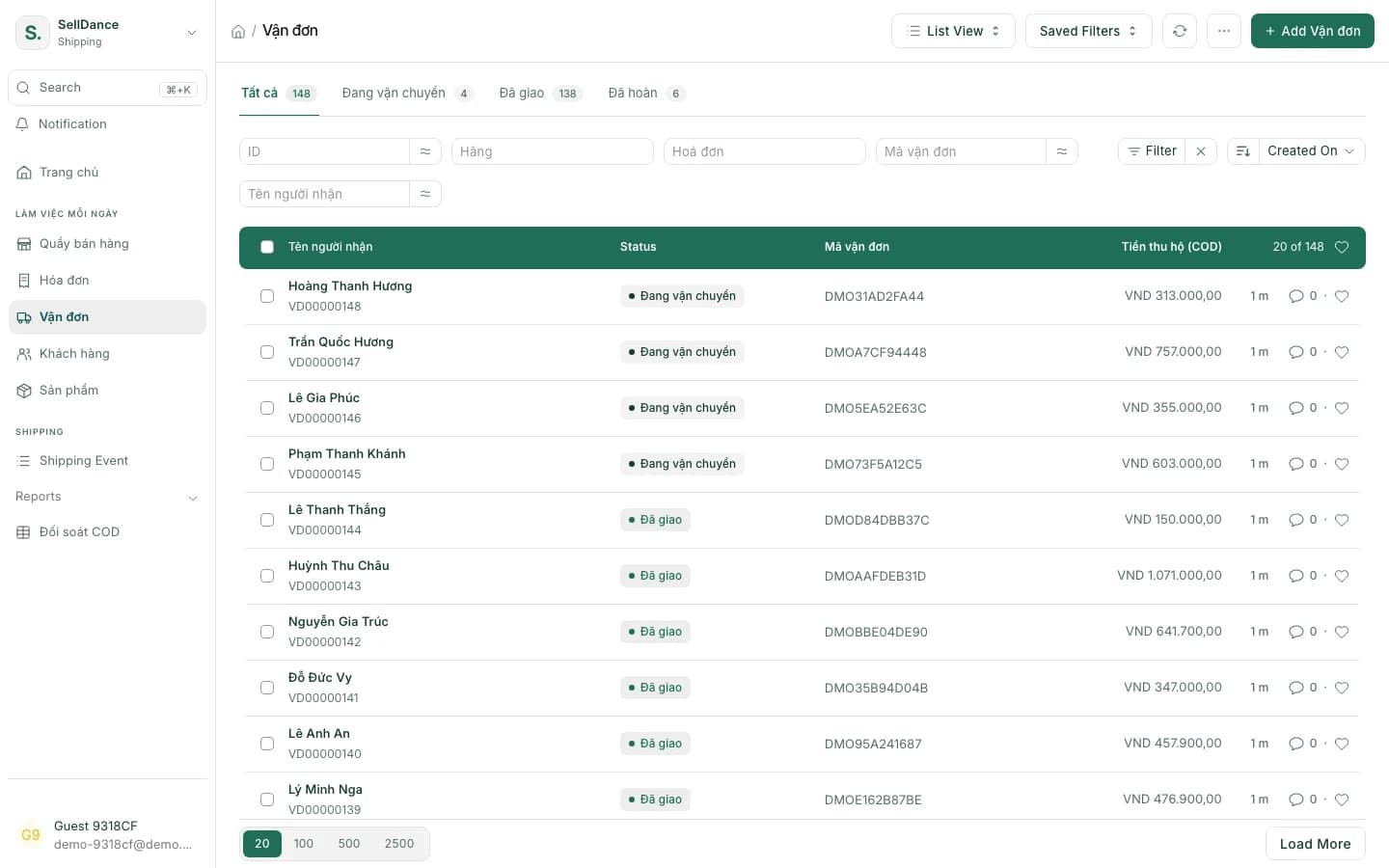
Everything around a delivery
Viettel Post first; the shipping framework is built to add more carriers.
Shipments from invoices
Create a shipment right from the sales invoice, check the rate, then send it to the carrier.
Label printing
Print the shipping label to stick on the parcel.
14 statuses, updated for you
Shipment statuses in Vietnamese, updated automatically from the carrier.
No duplicate orders
Retrying after a network error never creates a second order with the carrier.
COD tracked properly
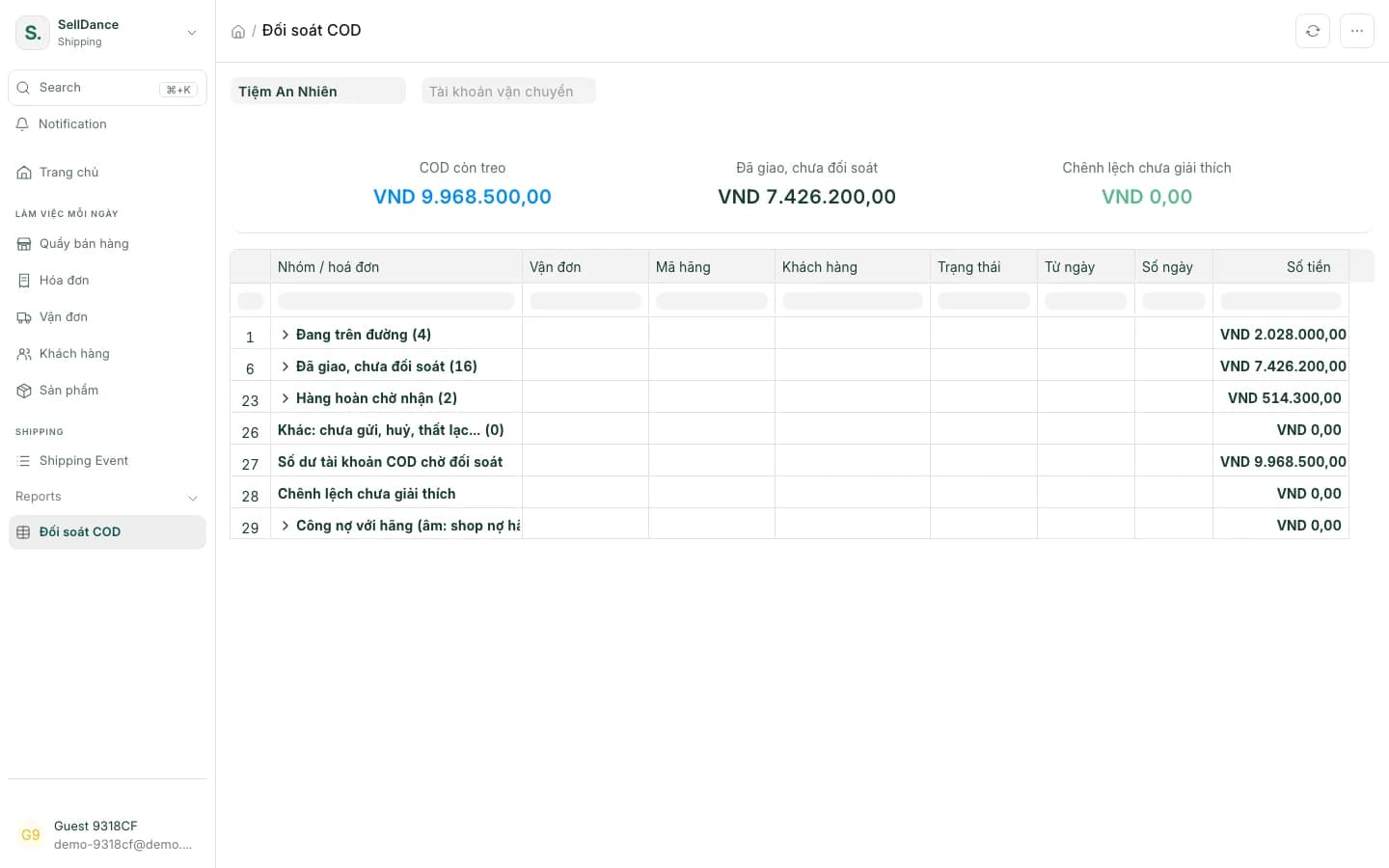
Cash collected on delivery sits in a clearing account until the carrier pays it out.
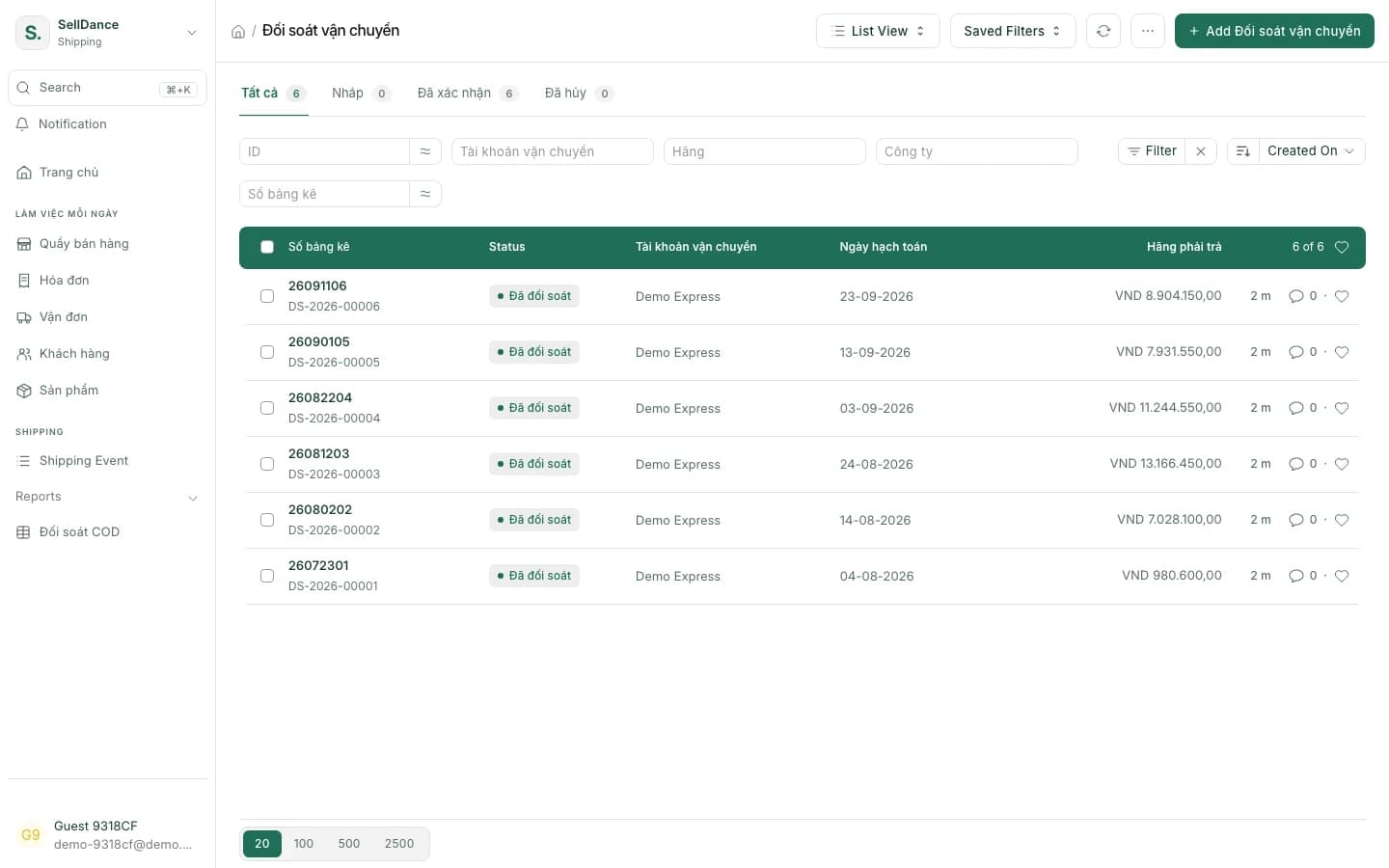
Statement reconciliation
Import the carrier's statement: every line is checked and differences are flagged.
One-click returns
One click creates the credit note and restocks; re-ship with a new shipment if needed.
Payouts matched via SePay
The carrier's payout can be matched automatically through SePay.
From handing over the parcel to the money coming back
Tracking
Know where every parcel is, without looking codes up
Shipment status updates itself from the carrier — from "Awaiting pickup" to "Delivered", or "Delivery failed" and then "Returned". Retrying after a network error never creates a duplicate order.
- 14 statuses, updated automatically
- Check the rate before sending
- Print the label right after
- Awaiting pickup
- Picked up
- In transit
- Out for delivery
- Delivered
If delivery fails
When the parcel is back: one click restocks it and issues the credit note.
COD reconciliation
Reconcile against the statement, not by hand
Import the carrier's statement and SellDance checks each line against your shipments, flags the ones that don't match and posts everything in one click. The carrier's payout can be matched automatically via SePay.
- COD sits in a clearing account until it's reconciled
- Differences shown line by line
Returns & reporting
Returns that don't throw the books off
A returned parcel: one click issues the credit note and restocks the goods; to try again, create a new shipment. The daily COD reconciliation report shows money still outstanding, delivered-but-unreconciled orders and unexplained differences.
On the phone
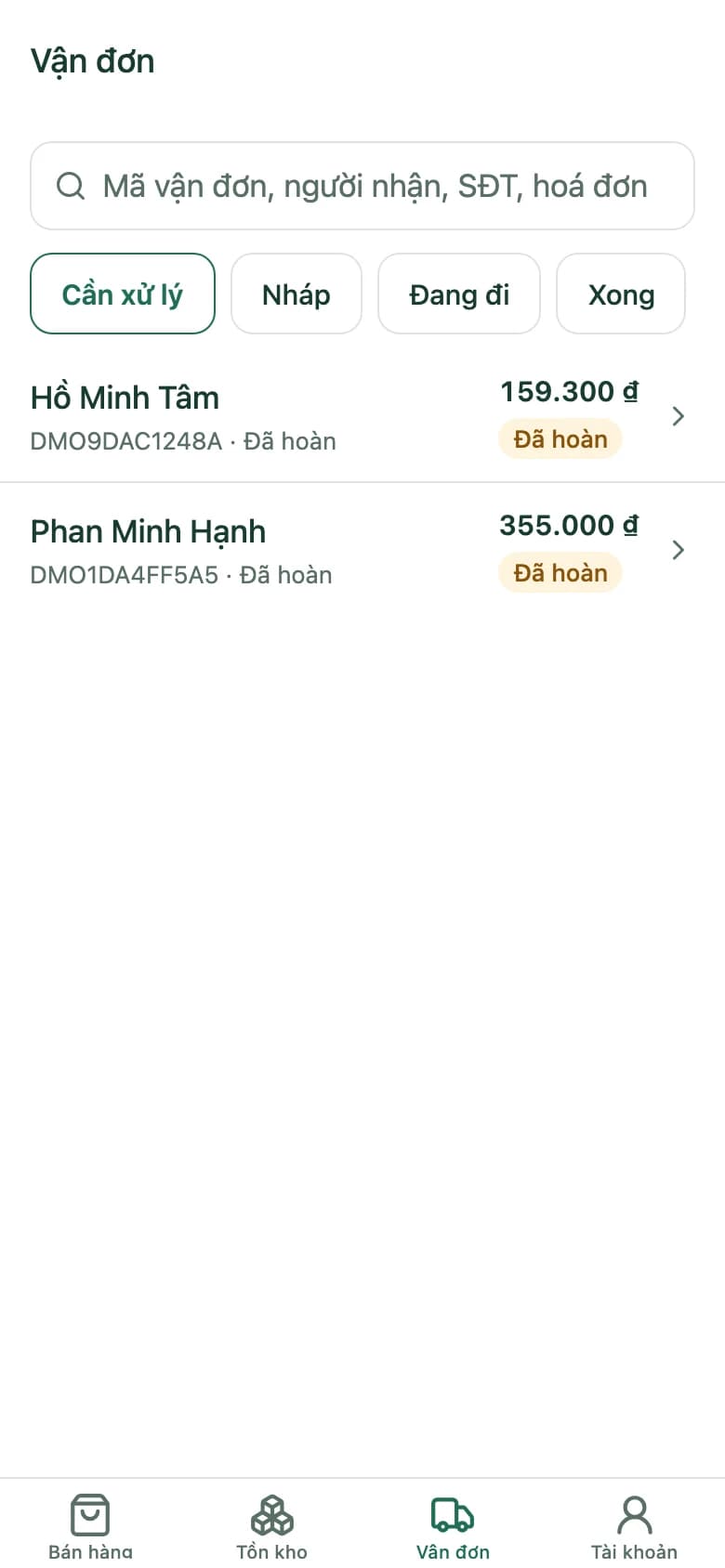
Shipments sorted by what needs doing
On the app, shipments are grouped into To do, Drafts, On the way and Done — so you know at a glance which ones need you.
Getting started with shipping
- 1
Connect Viettel Post
Add your carrier account and pickup points.
- 2
Create shipments from invoices
Check the rate, send, print the label.
- 3
Track and reconcile
Statuses update themselves; import statements to reconcile COD.
Shipping & COD questions
Which carriers does SellDance work with?
Viettel Post today. The shipping framework is designed so more carriers can be added.
How is COD money booked?
Cash collected on delivery is tracked in a clearing account. When you import the carrier's statement, each line is matched, differences are flagged and you post it all in one click.
Can a network error create duplicate shipments?
No. However many times a request is retried, it never creates another order with the carrier.
What happens with returned parcels?
One click issues the credit note and puts the goods back in stock. To deliver again, create a new shipment for that order.
Can I follow shipments on my phone?
Yes. The SellDance app groups shipments into To do, Drafts, On the way and Done.
Send a COD parcel on the demo shop
Create a shipment, print the label, receive a return and reconcile a statement — all with sample data.