Household-business tax
Tax books that fill themselves, sale by sale
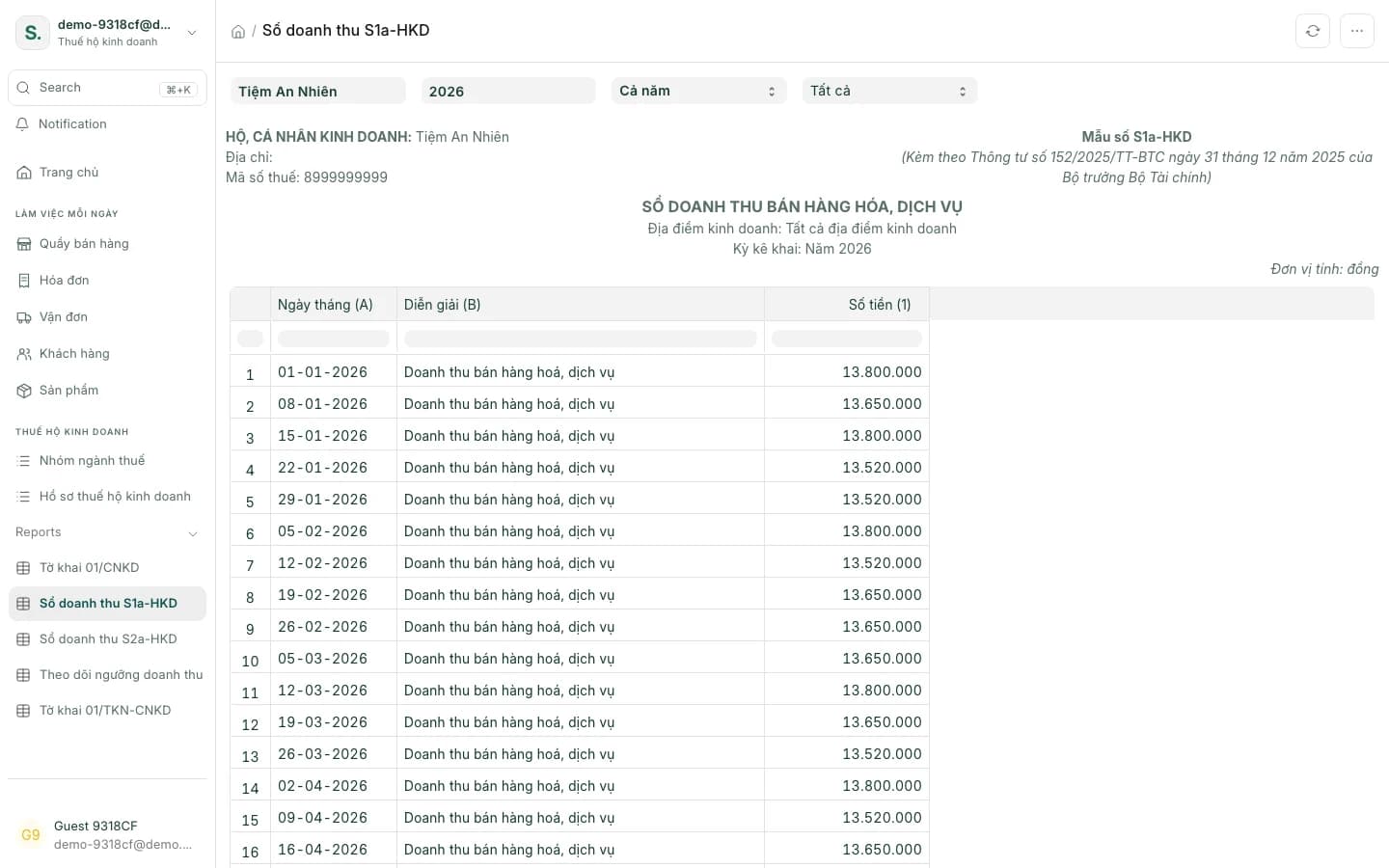
SellDance calculates household-business tax as a percentage of revenue and builds the S1a/S2a revenue books and the 01/CNKD return from the sales you've made. When it's time, print the A4 worksheet and enter it in eTax or HTKK.
From revenue to return
Percentage of revenue
VAT and PIT at the rate of your business group.
Business groups per Decision 1233
Tax groups carry their group code and rates under Decision 1233.
S1a and S2a revenue books
Book formats under Circular 152/2025, filled from your sales.
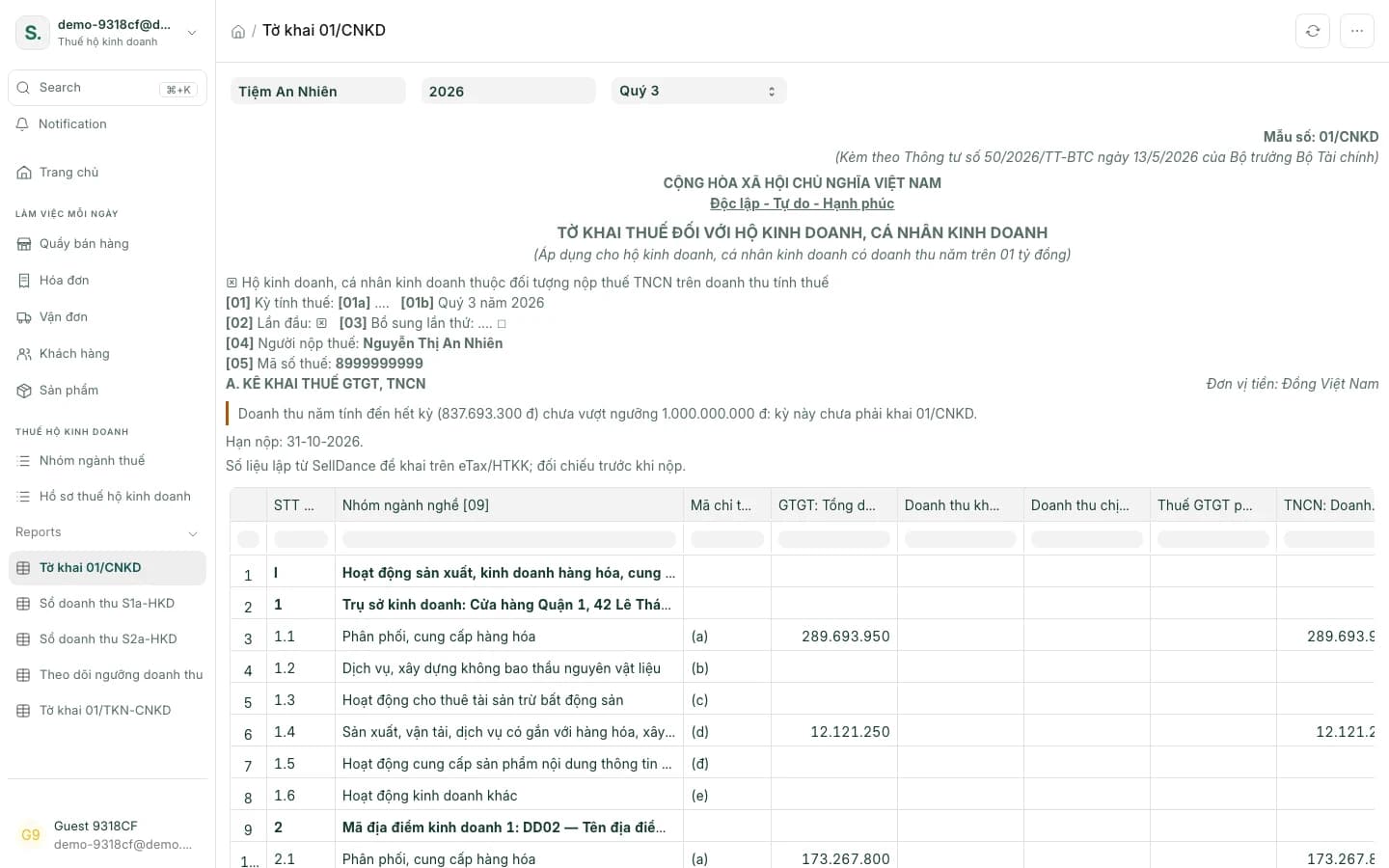
Quarterly 01/CNKD return
Quarterly return figures compiled for you.
Annual 01/TKN-CNKD return
Annual return figures compiled for you.
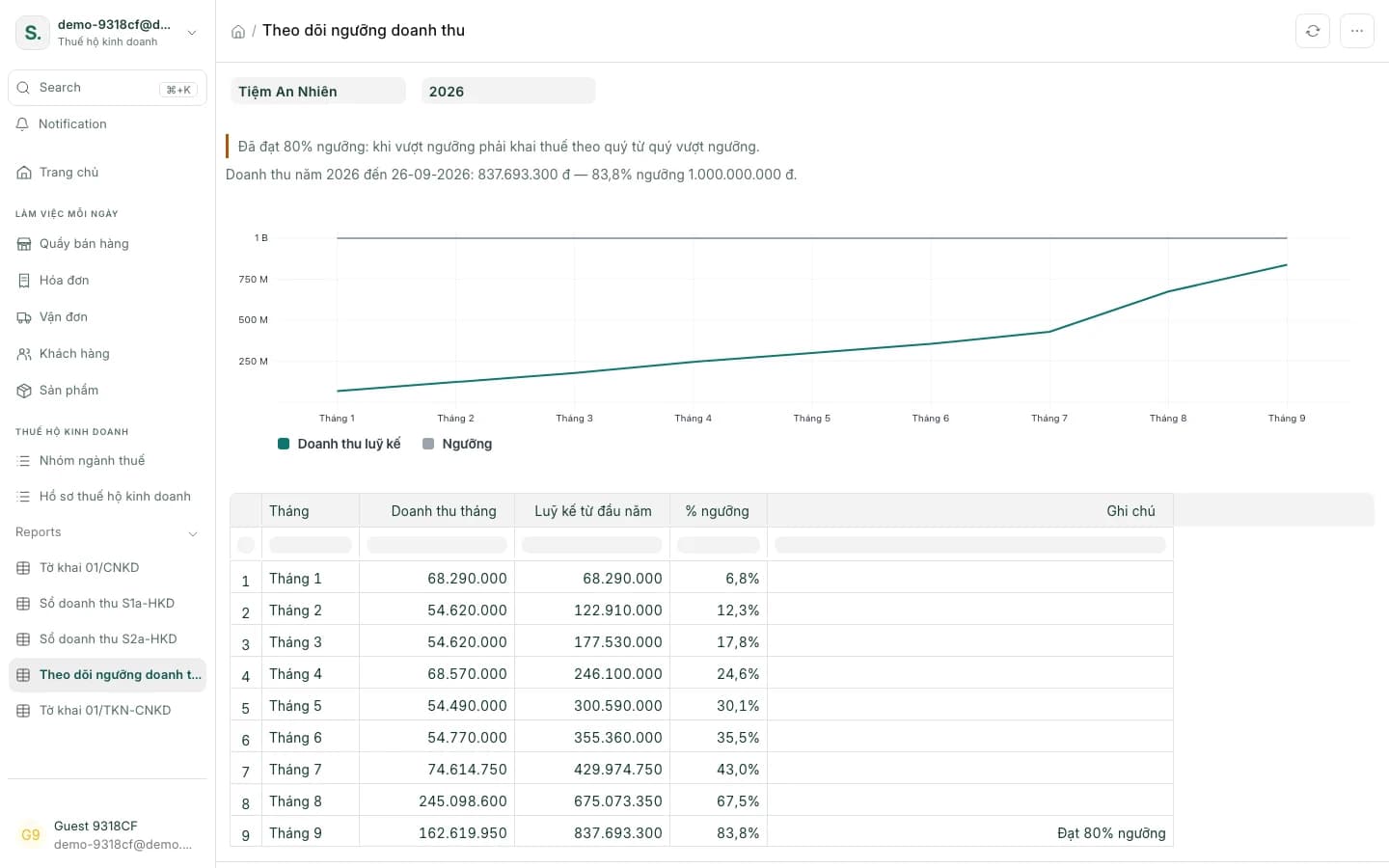
Revenue threshold tracking
Alerts at 80% of the threshold and when revenue passes 1 and 3 billion đồng.
A4 printouts for eTax/HTKK
Print an A4 worksheet to key the figures into eTax or HTKK.
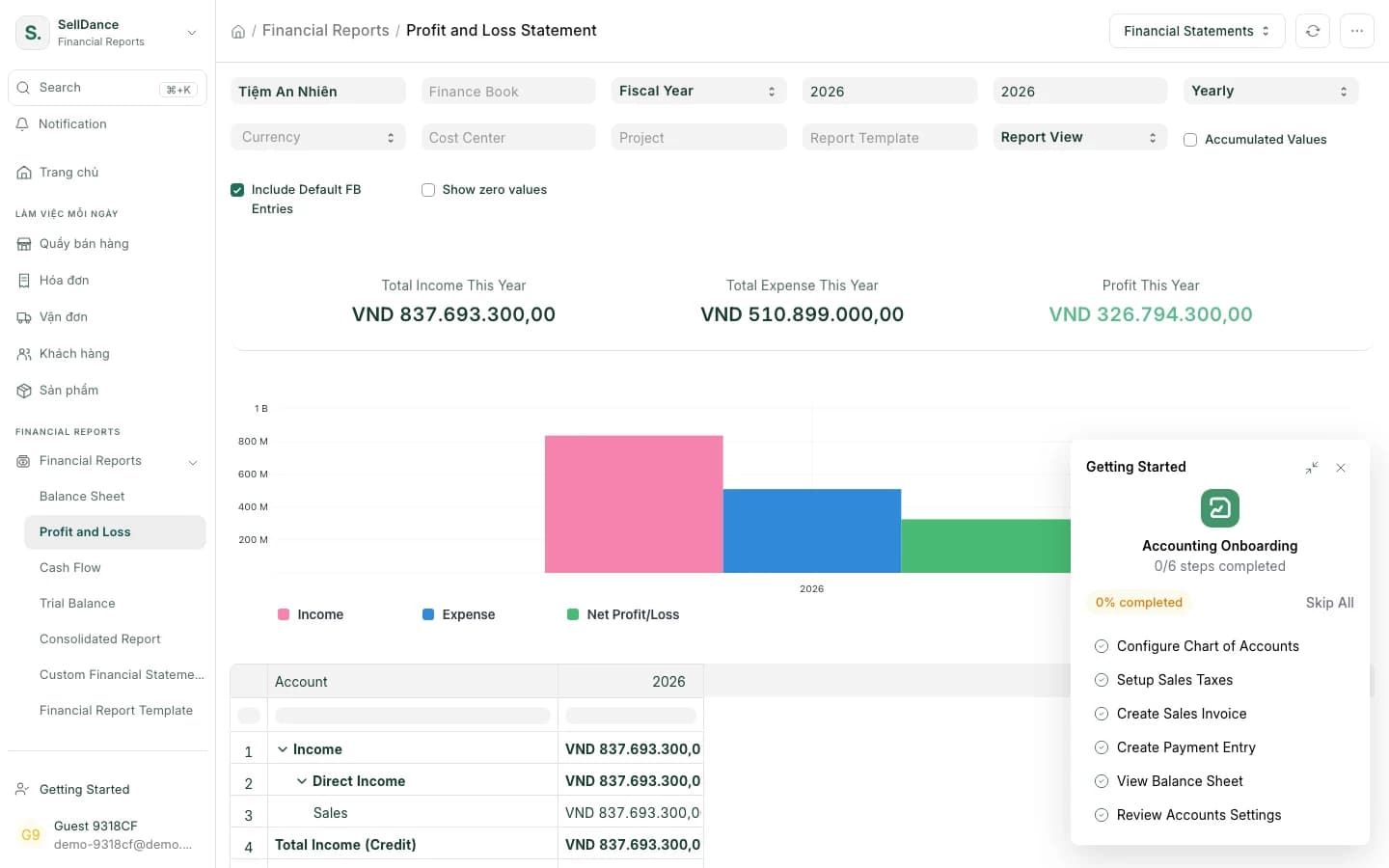
Double-entry books
Profit & loss, balance sheet, general ledger and payments.
Tax books and accounts from the same numbers
Tax rates
The right rate for each business group
Under Decision 1233, each business group has its own VAT and PIT rates on revenue. SellDance applies the rate that matches each piece of revenue.
- Goods, services, food & drink, transport… each at its own rate
- Each tax group carries its Decision 1233 code
| Business group | VAT | PIT |
|---|---|---|
| Distribution and supply of goods | 1% | 0.5% |
| Services | 5% | 2% |
| Food & drink, transport | 3% | 1.5% |
Revenue threshold
See the threshold coming
The revenue threshold report adds up year-to-date revenue month by month and alerts you at 80% of the threshold and when revenue passes 1 and 3 billion đồng — so you can prepare in time.
Returns
Quarterly and annual returns, pre-filled
The quarterly 01/CNKD and annual 01/TKN-CNKD returns are compiled from the revenue book. Print the A4 version to check, then enter it in eTax or HTKK.
Accounting
Profit & loss from real books
Sales, payments and stock entries are all posted double-entry, so the profit & loss, balance sheet and general ledger always agree.
Doing your tax with SellDance
- 1
Set up your tax profile
Choose the business group and tax location for each till.
- 2
Sell as usual
Revenue flows into the S1a/S2a books by business group.
- 3
Print and file when it's due
Print the return on A4, then enter it in eTax or HTKK to file.
Household tax questions
Does SellDance file my returns for me?
No. SellDance prepares the figures and A4 printouts for the 01/CNKD and 01/TKN-CNKD returns; you enter them in eTax or HTKK to file.
Which tax method does it support?
The percentage-of-revenue method for household businesses, with business groups and rates under Decision 1233.
Where do the S1a and S2a books get their numbers?
From the sales recorded in SellDance, in the revenue-book formats of Circular 152/2025.
How is the revenue threshold tracked?
The revenue threshold report adds up year-to-date revenue and alerts you at 80% of the threshold, when revenue passes 1 billion đồng and when it passes 3 billion đồng.
What if I have several business locations?
Each till is assigned its own tax location.
Is there a profit & loss report?
Yes. SellDance keeps real double-entry books: profit & loss, balance sheet, general ledger and payments.
Open the S1a book and 01/CNKD return on the demo shop
See the revenue book, the quarterly return and revenue against the threshold — built from sample sales.